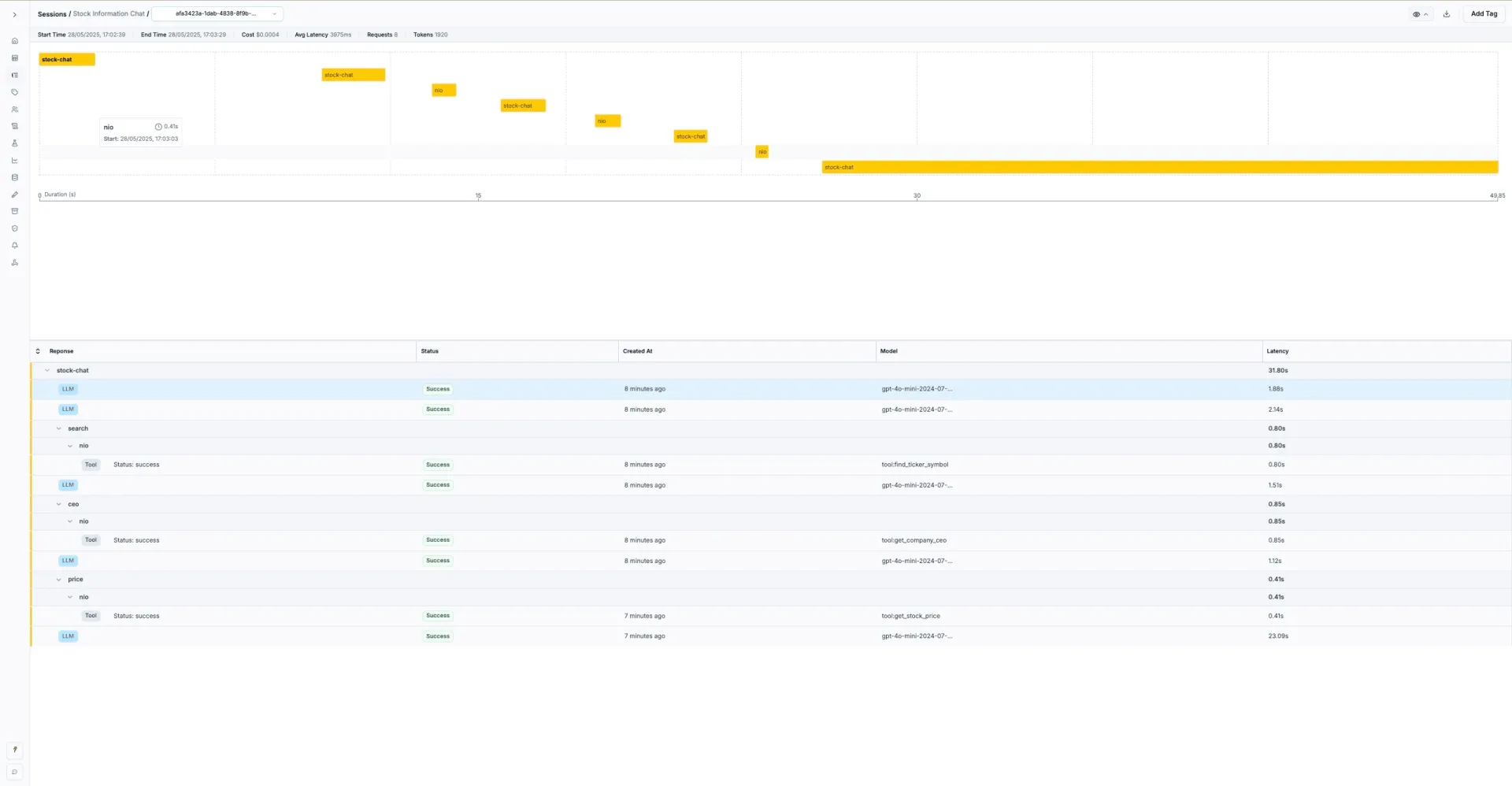
import jsonimport uuidfrom typing import Optional, Dict, Any, Listfrom openai import OpenAIimport yfinance as yffrom dotenv import load_dotenvimport osfrom helicone_helpers import HeliconeManualLogger# Load environment variablesload_dotenv()class StockInfoAgent: def __init__(self): # Initialize OpenAI client with Helicone self.client = OpenAI( api_key=os.getenv('OPENAI_API_KEY'), base_url="https://oai.helicone.ai/v1", default_headers={ "Helicone-Auth": f"Bearer {os.getenv('HELICONE_API_KEY')}" } ) # Initialize Helicone manual logger for tool calls self.helicone_logger = HeliconeManualLogger( api_key=os.getenv('HELICONE_API_KEY'), headers={ "Helicone-Property-Type": "Stock-Info-Agent", } ) self.conversation_history = [] self.session_id = None self.session_headers = {} def start_new_session(self): """Initialize a new session for tracking.""" self.session_id = str(uuid.uuid4()) self.session_headers = { "Helicone-Session-Id": self.session_id, "Helicone-Session-Name": "Stock Information Chat", "Helicone-Session-Path": "/stock-chat", "Helicone-Property-Environment": "production" } print(f"Started new session: {self.session_id}") def get_stock_price(self, ticker_symbol: str) -> Optional[str]: """Fetches the current stock price for the given ticker_symbol with Helicone logging.""" def price_operation(result_recorder): try: stock = yf.Ticker(ticker_symbol.upper()) info = stock.info current_price = info.get('currentPrice') or info.get('regularMarketPrice') if current_price: result = f"{current_price:.2f} USD" result_recorder.append_results({ "ticker": ticker_symbol.upper(), "price": current_price, "formatted_price": result, "status": "success" }) return result else: result_recorder.append_results({ "ticker": ticker_symbol.upper(), "error": "Price not found", "status": "error" }) return None except Exception as e: result_recorder.append_results({ "ticker": ticker_symbol.upper(), "error": str(e), "status": "error" }) print(f"Error fetching stock price: {e}") return None # Log the tool call with Helicone return self.helicone_logger.log_request( provider=None, request={ "_type": "tool", "toolName": "get_stock_price", "input": {"ticker_symbol": ticker_symbol}, "metadata": { "source": "yfinance", "operation": "get_current_price" } }, operation=price_operation, additional_headers={ **self.session_headers, "Helicone-Session-Path": f"/stock-chat/price/{ticker_symbol.lower()}" } ) def get_company_ceo(self, ticker_symbol: str) -> Optional[str]: """Fetches the name of the CEO for the company with Helicone logging.""" def ceo_operation(result_recorder): try: stock = yf.Ticker(ticker_symbol.upper()) info = stock.info # Look for CEO in various possible fields ceo = None for field in ['companyOfficers', 'officers']: if field in info: officers = info[field] if isinstance(officers, list): for officer in officers: if isinstance(officer, dict): title = officer.get('title', '').lower() if 'ceo' in title or 'chief executive' in title: ceo = officer.get('name') break result_recorder.append_results({ "ticker": ticker_symbol.upper(), "ceo": ceo, "status": "success" if ceo else "not_found" }) return ceo except Exception as e: result_recorder.append_results({ "ticker": ticker_symbol.upper(), "error": str(e), "status": "error" }) print(f"Error fetching CEO info: {e}") return None return self.helicone_logger.log_request( provider=None, request={ "_type": "tool", "toolName": "get_company_ceo", "input": {"ticker_symbol": ticker_symbol}, "metadata": { "source": "yfinance", "operation": "get_company_officers" } }, operation=ceo_operation, additional_headers={ **self.session_headers, "Helicone-Session-Path": f"/stock-chat/ceo/{ticker_symbol.lower()}" } ) def find_ticker_symbol(self, company_name: str) -> Optional[str]: """Tries to identify the stock ticker symbol with Helicone logging.""" def ticker_search_operation(result_recorder): try: # Use yfinance Lookup to search for the company lookup = yf.Lookup(company_name) stock_results = lookup.get_stock(count=5) if not stock_results.empty: ticker = stock_results.index[0] result_recorder.append_results({ "company_name": company_name, "ticker": ticker, "search_type": "stock", "results_count": len(stock_results), "status": "success" }) return ticker # If no stocks found, try all instruments all_results = lookup.get_all(count=5) if not all_results.empty: ticker = all_results.index[0] result_recorder.append_results({ "company_name": company_name, "ticker": ticker, "search_type": "all_instruments", "results_count": len(all_results), "status": "success" }) return ticker result_recorder.append_results({ "company_name": company_name, "error": "No ticker found", "status": "not_found" }) return None except Exception as e: result_recorder.append_results({ "company_name": company_name, "error": str(e), "status": "error" }) print(f"Error searching for ticker: {e}") return None return self.helicone_logger.log_request( provider=None, request={ "_type": "tool", "toolName": "find_ticker_symbol", "input": {"company_name": company_name}, "metadata": { "source": "yfinance_lookup", "operation": "ticker_search" } }, operation=ticker_search_operation, additional_headers={ **self.session_headers, "Helicone-Session-Path": f"/stock-chat/search/{company_name.lower().replace(' ', '-')}" } ) def create_tool_definitions(self) -> List[Dict[str, Any]]: """Creates OpenAI function calling definitions for the tools.""" return [ { "type": "function", "function": { "name": "get_stock_price", "description": "Fetches the current stock price for the given ticker symbol", "parameters": { "type": "object", "properties": { "ticker_symbol": { "type": "string", "description": "The stock ticker symbol (e.g., 'AAPL', 'MSFT')" } }, "required": ["ticker_symbol"] } } }, { "type": "function", "function": { "name": "get_company_ceo", "description": "Fetches the name of the CEO for the company associated with the ticker symbol", "parameters": { "type": "object", "properties": { "ticker_symbol": { "type": "string", "description": "The stock ticker symbol" } }, "required": ["ticker_symbol"] } } }, { "type": "function", "function": { "name": "find_ticker_symbol", "description": "Tries to identify the stock ticker symbol for a given company name", "parameters": { "type": "object", "properties": { "company_name": { "type": "string", "description": "The name of the company" } }, "required": ["company_name"] } } } ] def execute_tool(self, tool_name: str, arguments: Dict[str, Any]) -> Any: """Executes the specified tool with given arguments.""" if tool_name == "get_stock_price": return self.get_stock_price(arguments["ticker_symbol"]) elif tool_name == "get_company_ceo": return self.get_company_ceo(arguments["ticker_symbol"]) elif tool_name == "find_ticker_symbol": return self.find_ticker_symbol(arguments["company_name"]) else: return None def process_user_query(self, user_query: str) -> str: """Processes a user query using the OpenAI API with function calling and Helicone logging.""" # Add user message to conversation history self.conversation_history.append({"role": "user", "content": user_query}) # System prompt to guide the agent's behavior system_prompt = """You are a helpful stock information assistant. You have access to tools that can:1. Get current stock prices2. Find company CEOs3. Find ticker symbols for company names4. Ask users for clarification when neededUse these tools one at a time to help answer user questions about stocks and companies. If information is ambiguous, ask for clarification.""" while True: messages = [ {"role": "system", "content": system_prompt}, *self.conversation_history ] def openai_operation(result_recorder): # Call OpenAI API with function calling response = self.client.chat.completions.create( model="gpt-4o-mini-2024-07-18", messages=messages, tools=self.create_tool_definitions(), tool_choice="auto" ) # Log the response result_recorder.append_results({ "model": "gpt-4o-mini-2024-07-18", "response": response.choices[0].message.model_dump(), "usage": response.usage.model_dump() if response.usage else None }) return response # Log the OpenAI call response = self.helicone_logger.log_request( provider="openai", request={ "model": "gpt-4o-mini-2024-07-18", "messages": messages, "tools": self.create_tool_definitions(), "tool_choice": "auto" }, operation=openai_operation, additional_headers={ **self.session_headers, "Helicone-Prompt-Id": "stock-agent-reasoning" } ) response_message = response.choices[0].message # If no tool calls, we're done if not response_message.tool_calls: self.conversation_history.append({"role": "assistant", "content": response_message.content}) return response_message.content # Execute the first tool call tool_call = response_message.tool_calls[0] function_name = tool_call.function.name function_args = json.loads(tool_call.function.arguments) print(f"\nExecuting tool: {function_name} with args: {function_args}") # Execute the tool (this will be logged separately by each tool method) result = self.execute_tool(function_name, function_args) # Add the assistant's message with tool calls to history self.conversation_history.append({ "role": "assistant", "content": None, "tool_calls": [{ "id": tool_call.id, "type": "function", "function": { "name": function_name, "arguments": json.dumps(function_args) } }] }) # Add tool result to history self.conversation_history.append({ "tool_call_id": tool_call.id, "role": "tool", "name": function_name, "content": str(result) if result is not None else "No result found" }) def chat(self): """Interactive chat loop with session tracking.""" print("Stock Information Agent with Helicone Monitoring") print("Ask me about stock prices, company CEOs, or any stock-related questions!") print("Type 'quit' to exit.\n") # Start a new session self.start_new_session() while True: user_input = input("You: ") if user_input.lower() in ['quit', 'exit', 'bye']: print("Goodbye!") break try: response = self.process_user_query(user_input) print(f"\nAgent: {response}\n") except Exception as e: print(f"\nError: {e}\n")if __name__ == "__main__": agent = StockInfoAgent() agent.chat()