

Receive comprehensive insights about your LLM application's performance with automated weekly reports. Stay informed about spending trends, usage patterns, and optimization opportunities without logging into the dashboard.
Why Reports#
Weekly summaries delivered directly to your inbox or Slack
Monitor week-over-week changes in usage, costs, and performance
Keep stakeholders updated automatically
What's Included#
Weekly reports provide key metrics from the past 7 days:
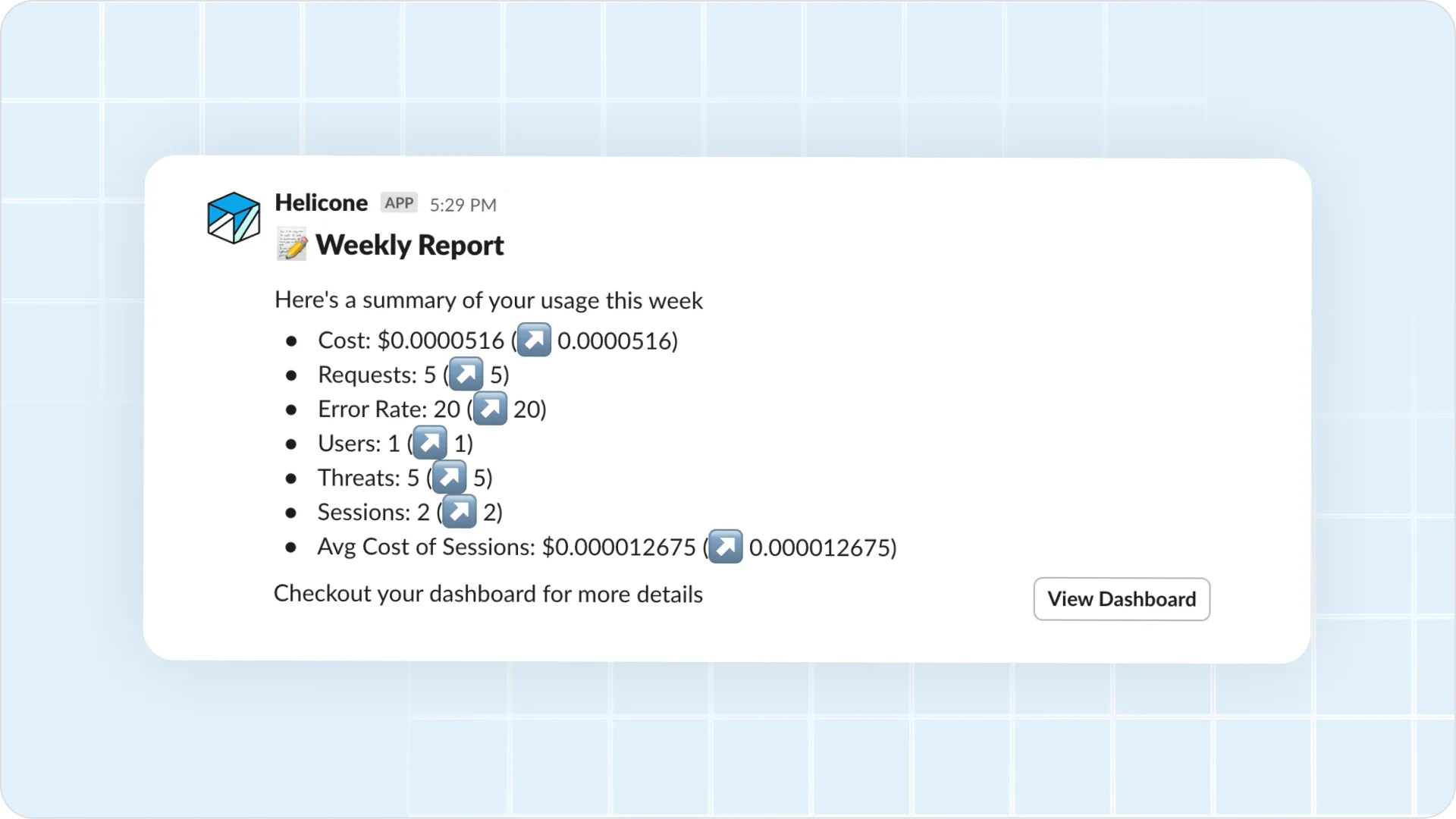
- Total cost and spending trends
- Number of requests processed
- Error rate percentage
- Active users count
- Security threats detected
- Sessions count and average cost per session
Setting Up Reports#
Navigate to Settings → Reports in your Helicone dashboard.
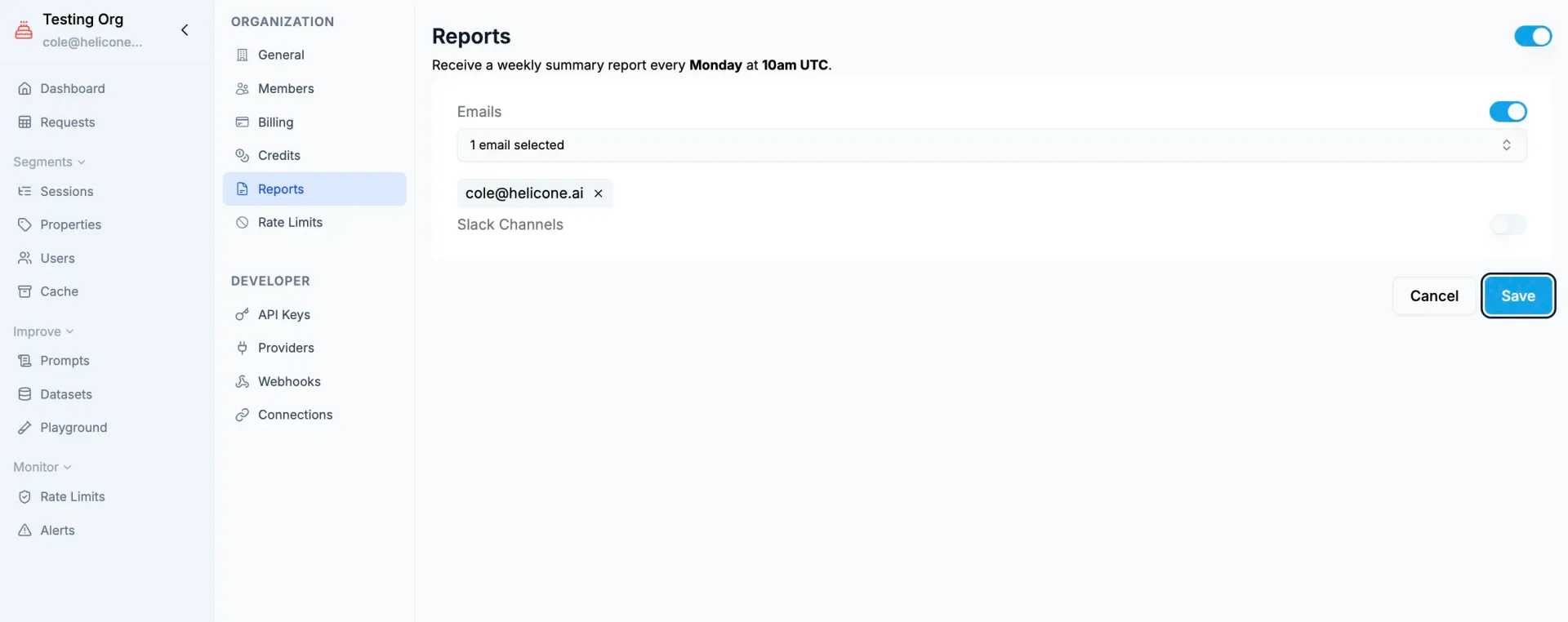
Choose delivery method
- Email: Add recipient email addresses (comma-separated for multiple)
- Slack: Select channels from connected Slack workspace
- Both: Configure email and Slack for maximum visibility
Select frequency
- Weekly (Recommended): Every Monday morning with previous week's data
- Daily: For high-volume applications needing close monitoring
- Monthly: For quarterly planning and budgeting
Enable reports
Toggle the report status to active and save your configuration
Report Format#
Email Reports#
Formatted HTML emails with your weekly metrics, trends, and direct links to the dashboard for deeper analysis.
Slack Reports#
Concise summaries posted to your team channels with key metrics and interactive buttons to view details in the dashboard.
Understanding Your Report#
Reports show week-over-week comparisons of your key metrics, helping you identify trends in usage, spending, and performance. All metrics cover the previous 7-day period.
Reports rely on accurate cost data. If costs show as "not supported" for your model, contact support to add pricing.