

March 2025 Update: We've enhanced our webhook implementation to provide a
unified request_response_url field that contains both request and response
data in a single object. This improves performance and simplifies data
retrieval. Learn more.
When building LLM applications, you often need to react to events in real-time, track usage patterns, or trigger downstream actions based on AI interactions. Webhooks provide instant notifications when LLM requests complete, allowing you to automate workflows, score responses, and integrate AI activity with external systems.
Why use Webhooks#
- Real-time evaluation: Automatically score and evaluate LLM responses for quality, safety, and relevance
- Data pipeline integration: Stream LLM data to external systems, data warehouses, or analytics platforms
- Automated workflows: Trigger downstream actions like notifications, content moderation, or process automation
Quick Start#
Set up webhook endpoint
Navigate to the webhooks page and add your webhook URL:
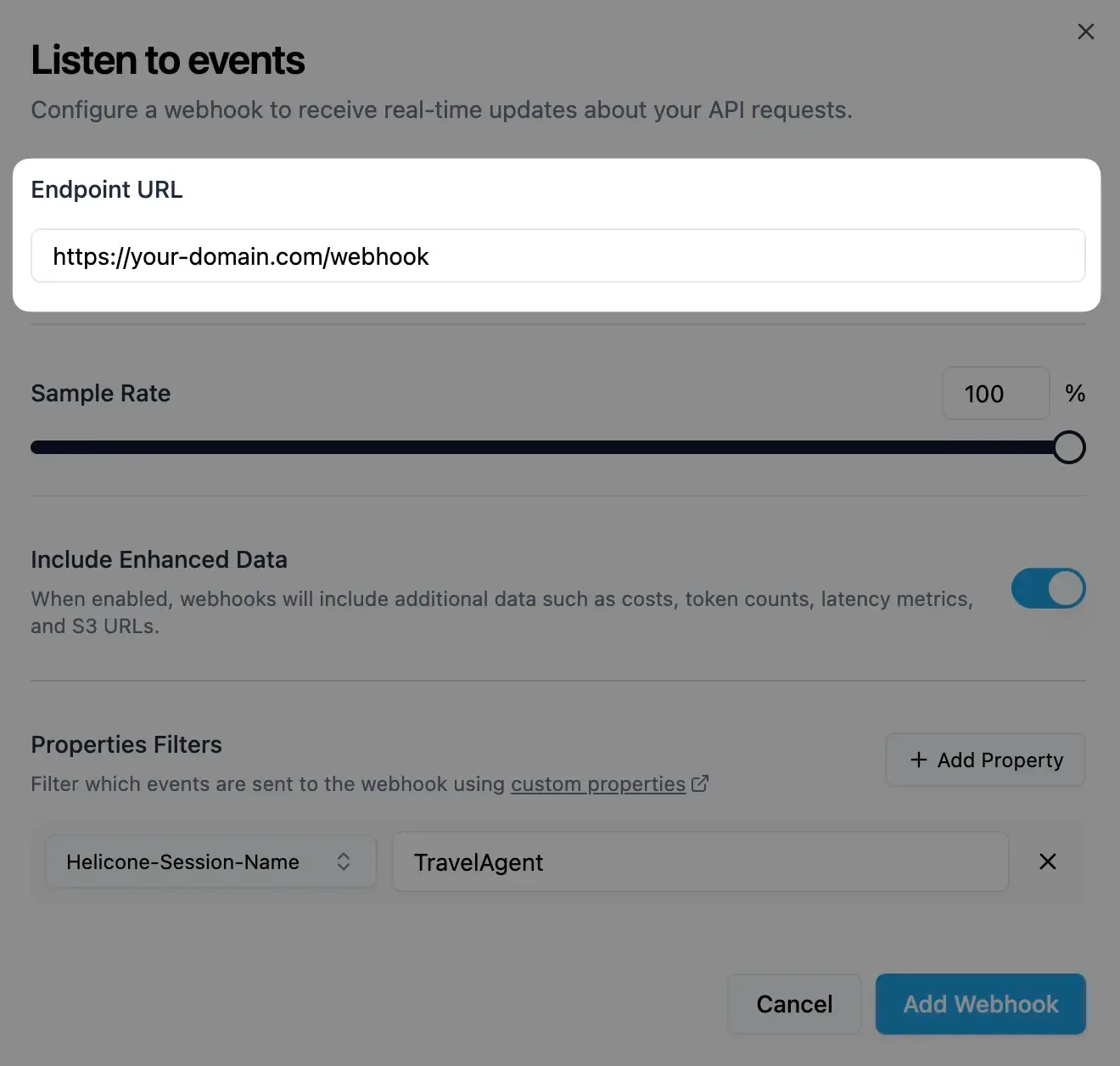
Your webhook endpoint should accept POST requests.
Configure events and filters
Select which events trigger webhooks and add any property filters:
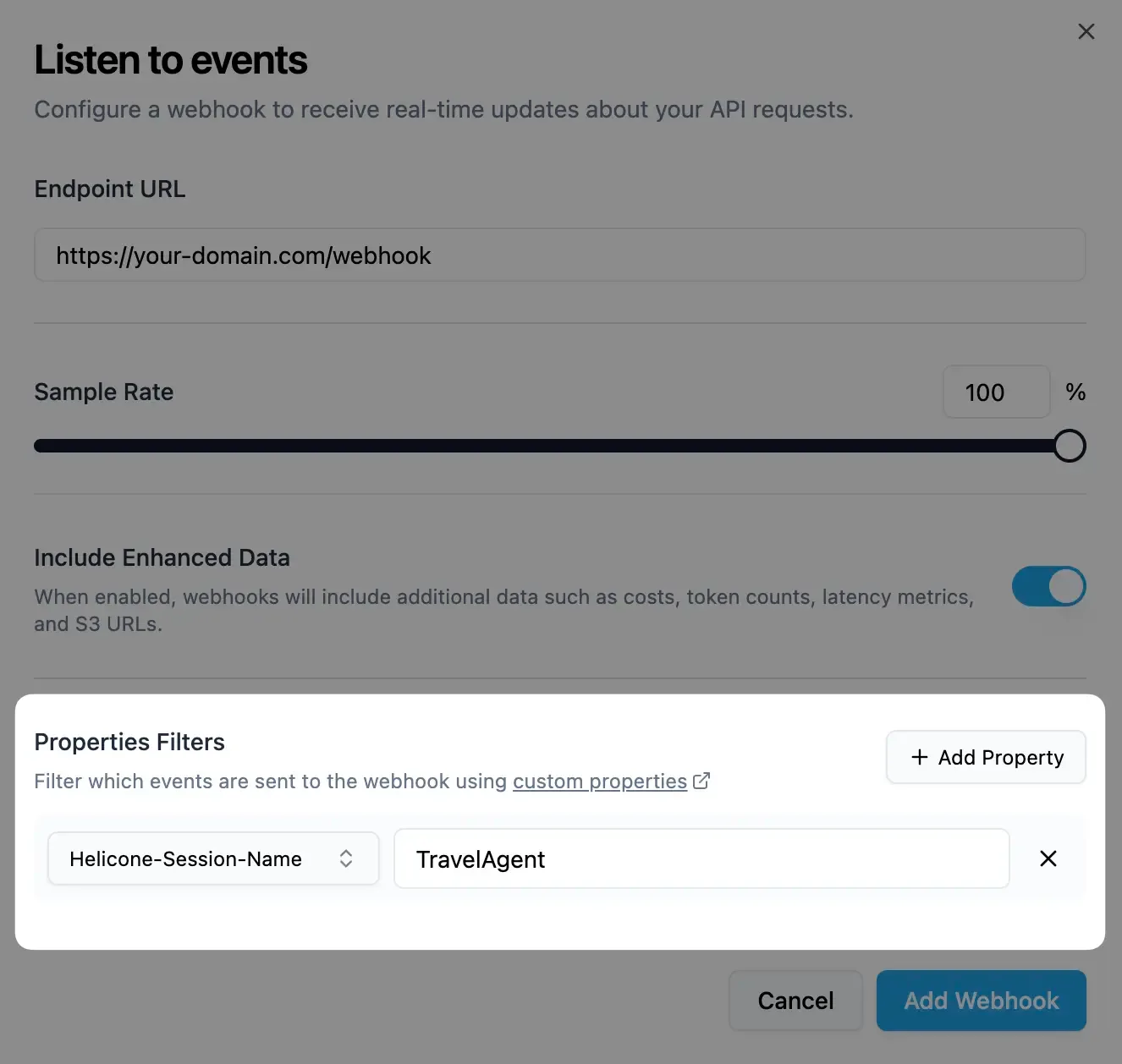
You can also create webhooks programmatically using our REST API.
Secure your endpoint
Copy the HMAC key from the dashboard and validate webhook signatures:
Configuration Options#
Configure your webhook behavior through the dashboard or REST API:
Basic Settings#
| Setting | Description | Default |
|---|---|---|
| Destination URL | URL where webhook payloads are sent | None |
| Sample Rate | Percentage of requests that trigger webhooks (0-100) | 100% |
| Include Data | Include enhanced metadata and S3 URLs | Enabled |
Advanced Settings#
| Setting | Description | Default |
|---|---|---|
| Property Filters | Only send webhooks for requests with specific properties | None |
Property Filters
Filter webhooks based on custom properties you set in requests:
Only requests matching ALL specified properties will trigger webhooks.
Use Cases#
Monitor AI responses for regulatory compliance and policy violations:
Stream LLM data to external systems:
Understanding Webhooks#
Webhook Payload Structure#
Webhooks deliver structured data about completed LLM requests:
Standard payload:
Enhanced payload (when include_data is enabled):
Request/Response URL Data#
The request_response_url contains complete, untruncated data:
Security Best Practices#
Always verify webhook signatures:
Performance Considerations#
URL expiration:
request_response_urlexpires after 30 minutes- Always use
request_response_urlfor complete data
Webhook timeouts:
- Webhook delivery times out after 2 minutes
Payload size limits:
- Request/response bodies are truncated at 10KB in webhook payload
Related Features#
Score LLM responses automatically via webhooks for quality monitoring
Add metadata to requests for filtering and organizing webhook deliveries
Track per-user usage patterns and costs via webhook data
Test webhooks locally using ngrok or other tunneling tools