

Track and optimize your LLM costs across all providers. Helicone provides detailed cost analytics and optimization tools to help you manage your AI budget effectively.
How We Calculate Costs#
Helicone uses two systems for cost calculation depending on your integration method:
AI Gateway (100% Accurate)#
When using Helicone's AI Gateway, we have complete visibility into model usage and calculate costs precisely using our Model Registry v2 system.
Best Effort (Without Gateway)#
For direct provider integrations, we use our open-source cost repository with pricing for 300+ models. This provides best-effort cost estimates based on model detection and token counts.
Cost not showing? If your model costs aren't supported, join our Discord or email help@helicone.ai and we'll add support quickly.
Understanding Unit Economics#
The most critical aspect of cost tracking is understanding your unit economics - what drives costs in your application and how to optimize them.
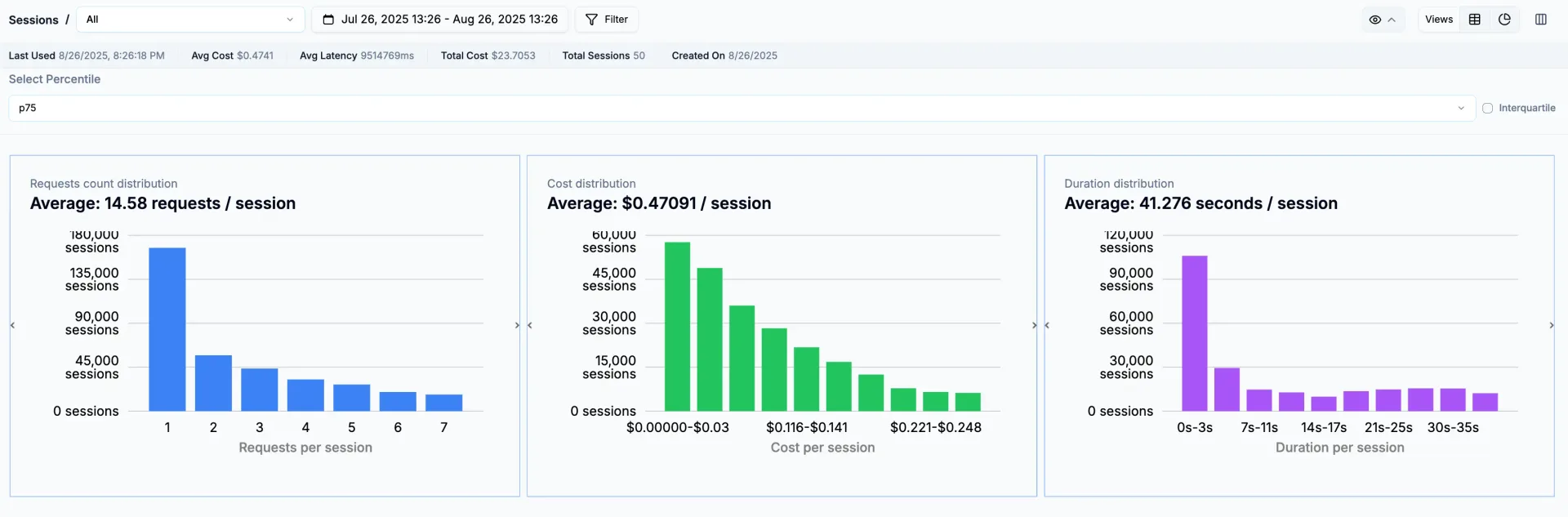
Sessions: Your Cost Foundation#
Sessions group related requests to show the true cost of user interactions. Instead of seeing individual API calls, you see complete workflows:
This reveals insights like:
- A support chat costs $0.12 on average with 5 API calls
- Document analysis workflows cost $0.45 with 12 API calls
- Quick queries cost $0.02 with a single call
Segmentation That Matters#
Use custom properties to slice costs by the dimensions that matter to your business:
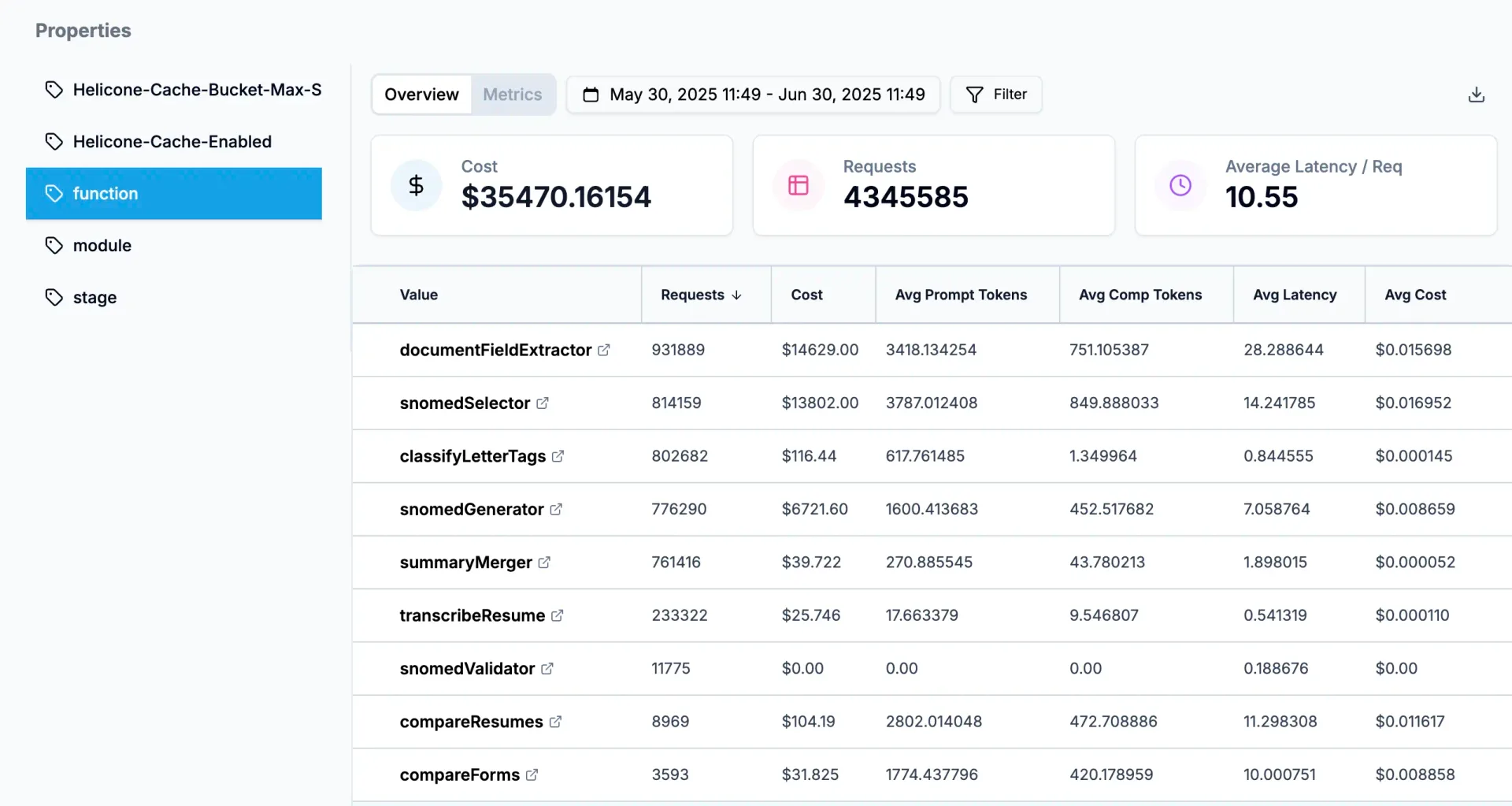
Now you can answer questions like:
- Do premium users justify their higher usage costs?
- Which features are cost-efficient vs. cost-intensive?
- How much are we spending on development vs. production?
AI Gateway Cost Optimization#
The AI Gateway doesn't just track costs - it actively optimizes them through intelligent routing.
Automatic Model Selection#
The Model Registry shows all supported models with real-time pricing across providers. The AI Gateway automatically sorts by cost to find the cheapest option:
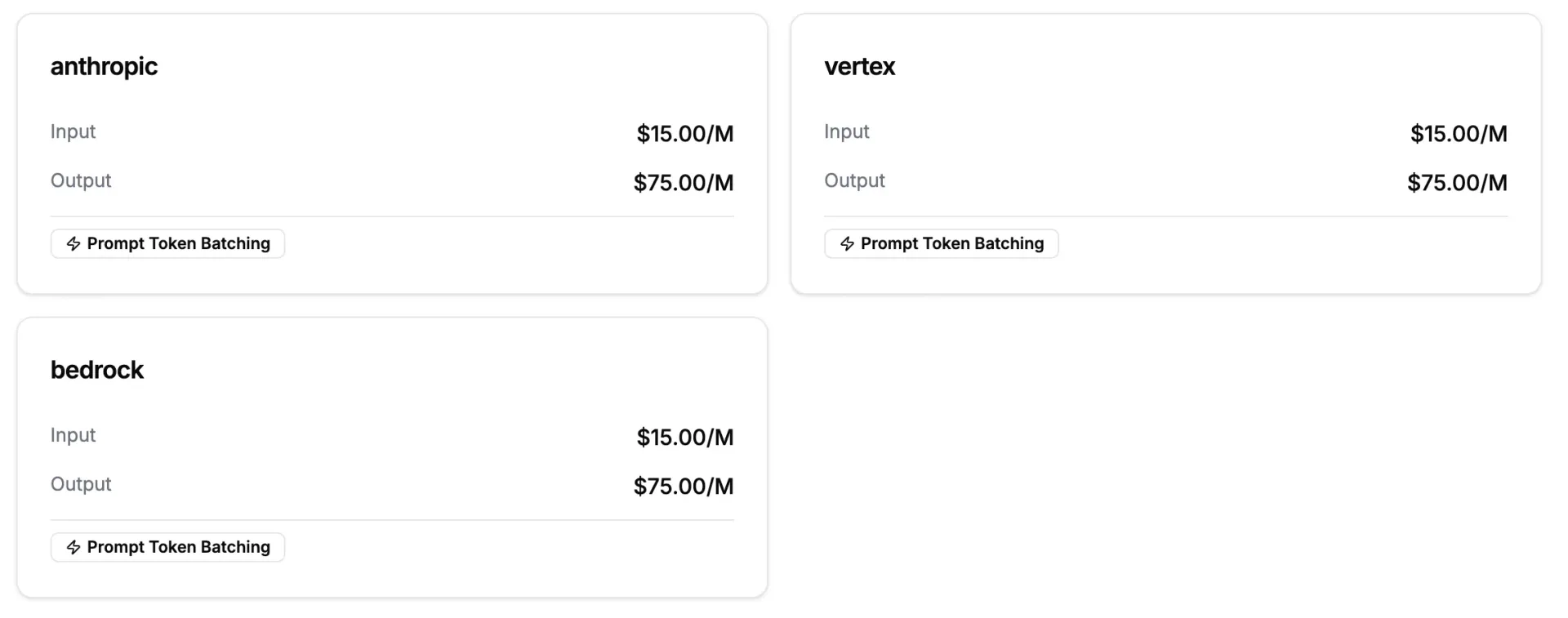
How Automatic Optimization Works#
- BYOK Priority - Uses your existing credits first (AWS, Azure, etc.)
- Cost-Based Routing - Automatically selects the cheapest available provider
- Smart Fallbacks - If one provider fails, routes to the next cheapest option
Cost Prevention & Alerts#
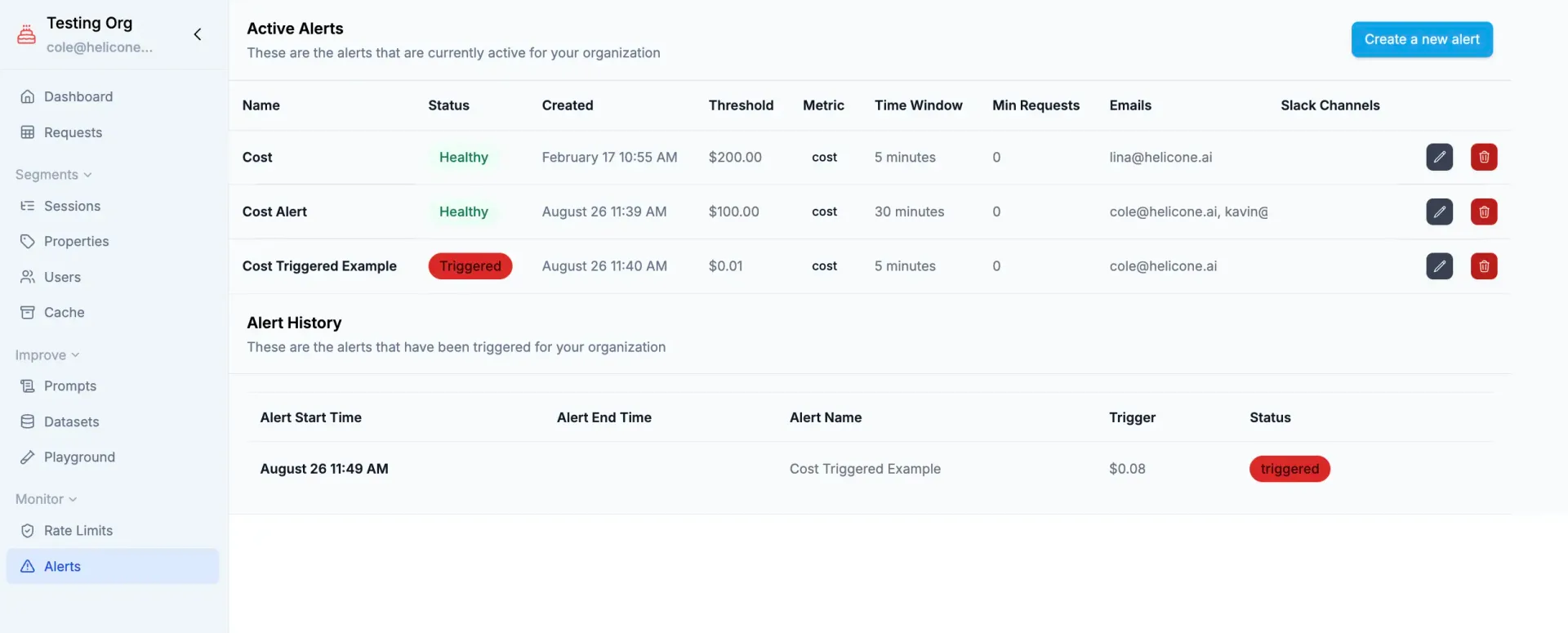
Setting Smart Alerts#
Configure cost alerts to catch spending issues before they become problems. Set graduated thresholds (50%, 80%, 95% of budget) and use different limits for development vs. production environments.
The key is understanding your baseline spending patterns and setting alerts that give you time to react without causing alert fatigue.
Cost alerts rely on accurate cost data. See How We Calculate Costs above. If you see "cost not supported" for your model, contact us to add support.
Caching for Cost Reduction#
Enable caching to eliminate redundant API calls entirely:
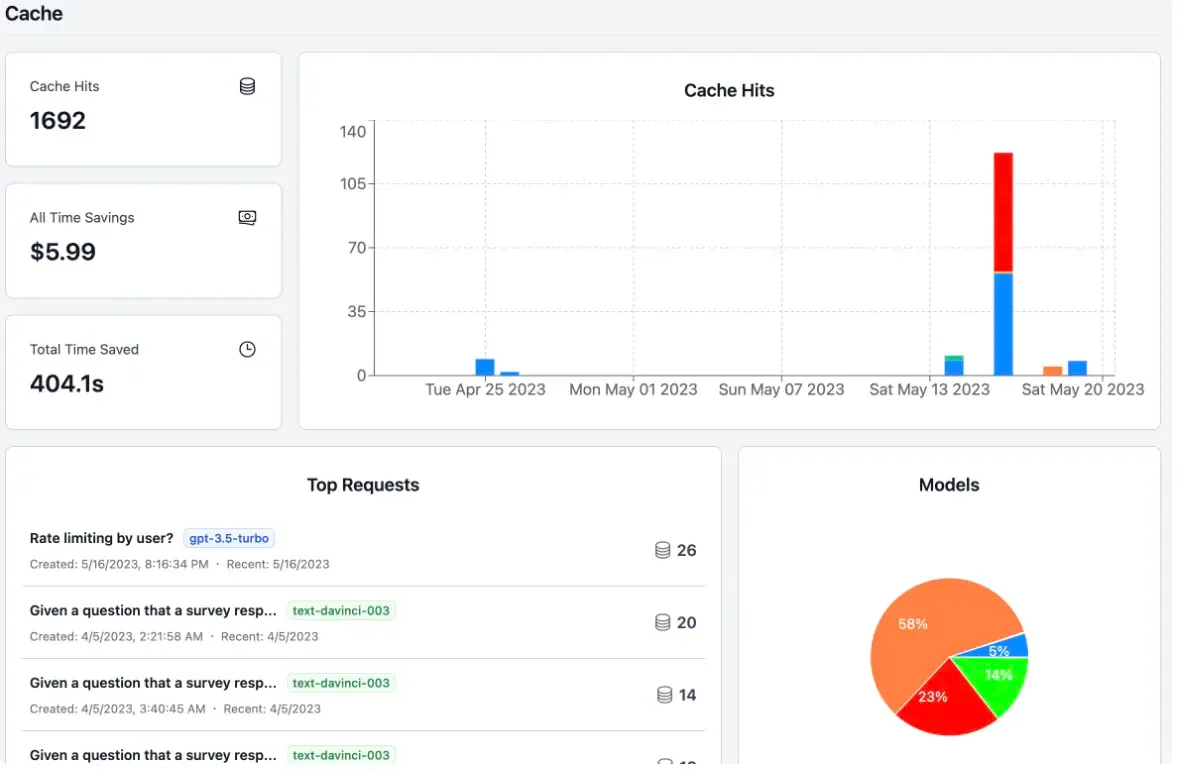
Best caching opportunities:
- FAQ responses in support bots
- Static content generation
- Development and testing environments
Automated Reports#
Get regular cost summaries delivered to your inbox or Slack channels. Reports provide insights into spending trends, model usage, and optimization opportunities.
What Reports Include#
- Weekly spending summaries and trends
- Model usage breakdown by cost
- Top cost drivers and expensive requests
- Week-over-week comparisons
- Optimization recommendations
Setting Up Reports#
Configure automated reports in Settings → Reports to receive them via:
- Email - Weekly digests to any email address
- Slack - Post to your team channels
Reports help you stay on top of costs without checking the dashboard daily. Perfect for finance teams and engineering managers tracking AI spend.